API overview
The InstantFeedback REST API gives your own systems access to the same campaigns, feedback requests, surveys, and contacts you see in the web app, as JSON over HTTPS. Use it to:
- Create feedback requests from your CRM, shop, or ticketing system, including values for the campaign's custom fields.
- Record grades and comments that your own channel collected, in an external campaign.
- Export campaigns with their statistics, and feedback requests with grades and comments.
- Get the average grade and number of feedback requests per custom field value, for example per store or per agent.
- Look up, anonymise, and audit the data stored about a single contact.
| Environment | Base URL |
|---|---|
| Production | https://app.instantfeedback.si/api |
| Test | https://test.instantfeedback.si/api |
The paths in this reference are relative to the base URL.
Before you start
- You need an API key. Keys belong to the account, so a request made with a key sees that account's campaigns and data. Only account admins can create keys; see Get an API key.
- Use HTTPS only. The API is not available over plain HTTP, and HTTP requests can fail in unexpected ways.
- Send and expect JSON. Request bodies must be JSON, and every request with a body needs the
Content-Type: application/jsonheader. A body in another format, for example a form post, is rejected with HTTP415.
Get an API key
- Open Settings from the sidebar and click API keys. The page lists the account's keys with their expiry date and whether they are active.

The API keys page. Only the last four characters of each key are shown here.
- Click Create, enter a name that tells you which system uses the key, and optionally an expiry date and time. Click Save.
- Back in the list, click the key's name to open it.
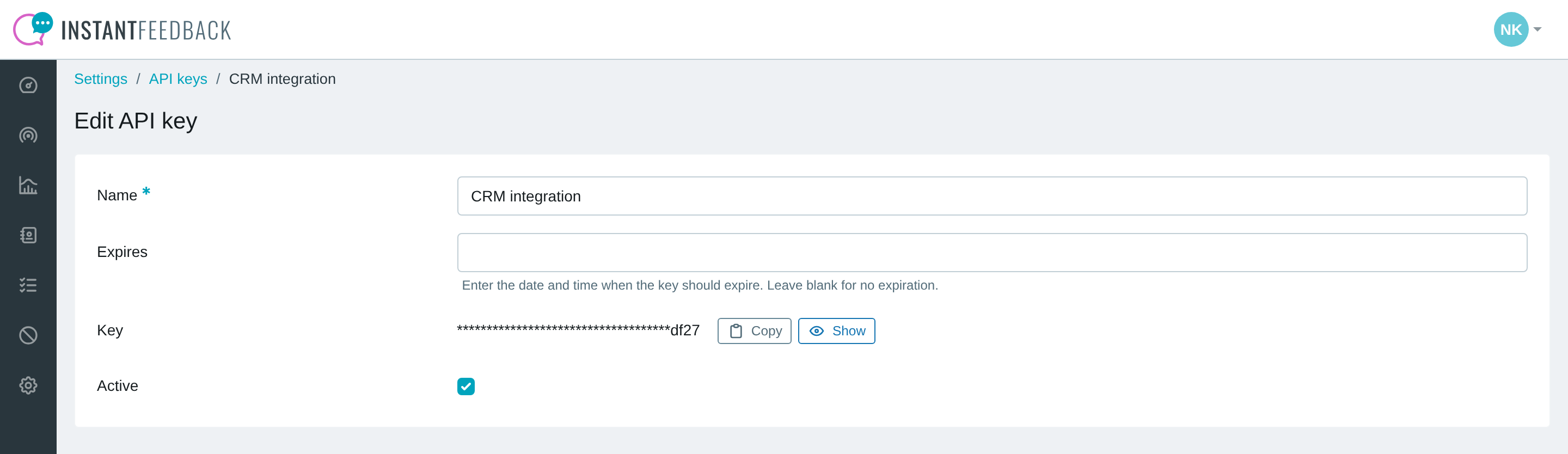
The key page. Copy puts the whole key on the clipboard without showing it, Show reveals it.
- Click Show to reveal the key and copy it into your system's configuration.
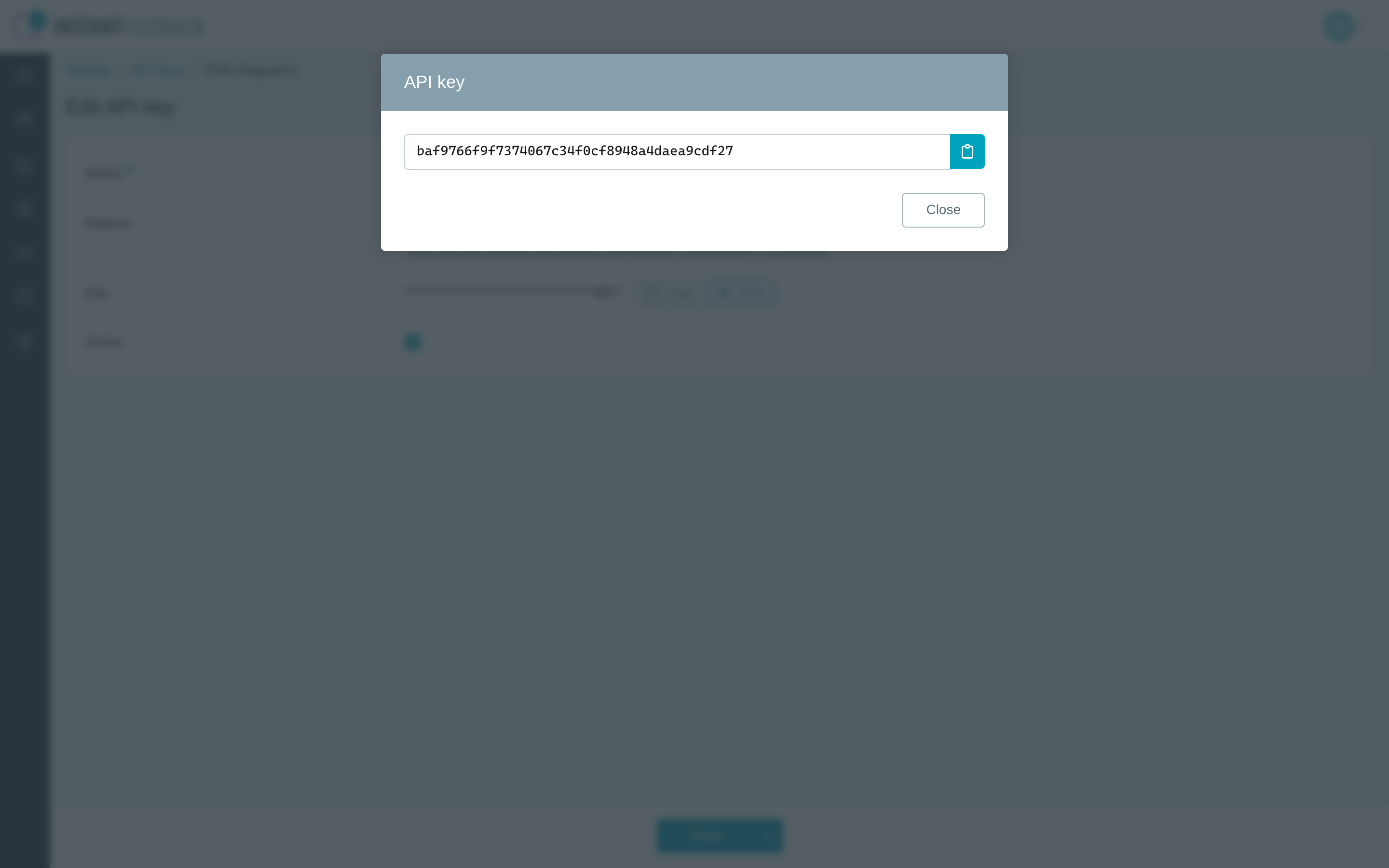
The revealed key. The button on the right copies it to the clipboard.
To take a key out of use, clear the Active switch on its page or delete it from the
list. Requests made with an inactive, expired, or deleted key get HTTP 401.
Authentication
Every request carries the API key in the Authorization header: the word Token, a space,
and the key.
Authorization: Token 5094fe531509048213ccffea2363104a655f1d5c
For example, with curl:
curl -H "Authorization: Token 5094fe531509048213ccffea2363104a655f1d5c" \
     https://app.instantfeedback.si/api/appeals/campaigns
A request without a valid key gets HTTP 401 and a JSON body that names the reason:
detail |
Meaning |
|---|---|
Authentication credentials were not provided. |
The Authorization header is missing or does not start with Token. |
Invalid token. |
No key with this value exists. Check for a typo or a deleted key. |
Inactive API key. |
The key was deactivated in Settings → API keys. |
Expired API token. |
The key's expiry date has passed. Edit the key to extend or clear it, or create a new key. |
Responses and paging
Successful requests return HTTP 200, except creating a feedback request, which returns
201. Every response body is JSON.
Lists
Endpoints that return a list, that is campaigns, feedback requests, surveys, and a contact's access log, return at most 1000 records per request and wrap them in an envelope:
{
    "count": 2345,
    "next": "https://app.instantfeedback.si/api/appeals/?campaign=17&page=3",
    "previous": "https://app.instantfeedback.si/api/appeals/?campaign=17&page=1",
    "results": []
}
| Field | Meaning |
|---|---|
count |
Total number of records that match the request, across all pages. |
next |
Full URL of the next page, or null on the last page. |
previous |
Full URL of the previous page, or null on the first page. |
results |
The records of this page. |
Pages are selected with the page parameter, starting at 1. The simplest way to read a
whole export is to follow next until it is null.
Custom field statistics are the one list endpoint without the envelope: they return a plain JSON array.
Dates and times
Timestamps in responses are ISO 8601 with a UTC offset, in the account's time zone, for
example 2026-01-03T16:12:10.442726+01:00. Date parameters use YYYY-MM-DD. A date and
time you send without an offset is read in the account's time zone.
Paths
Paths are matched exactly. GET /appeals/ and GET /surveys/ end with a slash; every
other path does not. A request to /appeals without the slash is redirected with HTTP
301, which not every HTTP client follows. A slash added to any other path returns HTTP
404.
Errors
Error responses carry a JSON body. Validation errors name the offending parameter, other
errors use detail:
{"phone": ["This field is required."]}
{"detail": "This operation is only allowed for feedback requests with status 'Scheduled'."}
| Status | Meaning |
|---|---|
400 |
The request is invalid: a parameter is missing or malformed, or the operation is not allowed in the object's current status. |
401 |
The API key is missing, invalid, inactive, or expired. See Authentication. |
403 |
The key is valid, but the campaign or feedback request belongs to another account, or the campaign is not active. |
404 |
No object with this ID exists in your account, or no feedback request exists for this contact. |
405 |
The HTTP method is wrong, for example GET on an endpoint that expects POST. |
415 |
The request body is not JSON, or the Content-Type header is missing. |
Endpoints
| Page | Endpoints |
|---|---|
| Campaigns | List campaigns with statistics, get one campaign, statistics per custom field value. |
| Feedback requests | Export, get, create, grade, comment on, and cancel feedback requests. |
| Contacts | Look up, anonymise, and audit the data stored about a phone number, email address, or identifier. |
| Surveys | List the account's surveys and get a survey with its questions. |